 F12 Labs
Why Shopify carts don't follow customers between devices, and how to fix it
A customer fills their cart on their phone, opens your store on their laptop, and the cart is empty. Here's why that happens on Shopify, what it costs you, and how to keep a signed-in customer's cart the same on every device.
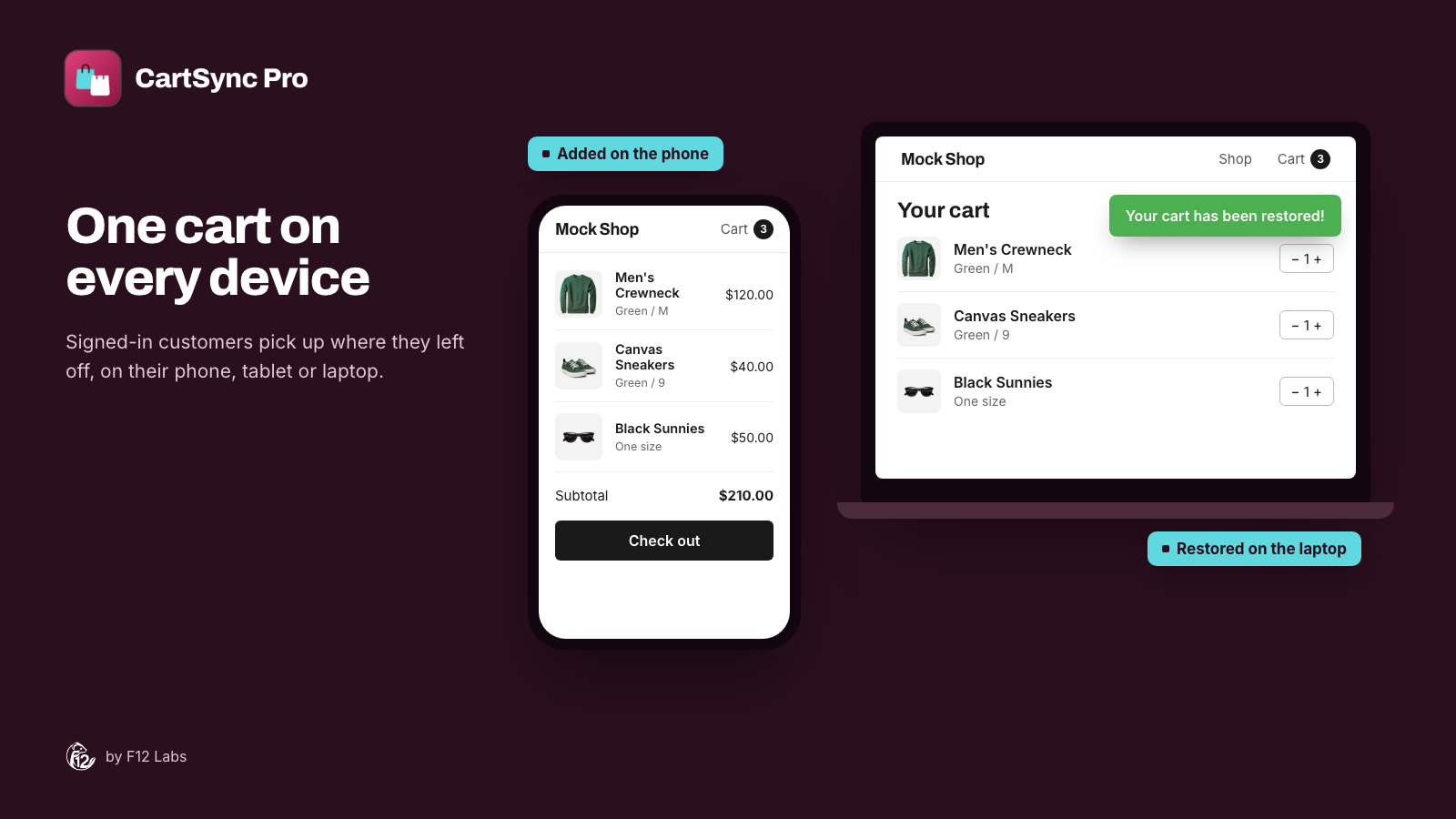
A customer browses your store on their phone at lunch and adds three things to the cart. That evening they open your store on their laptop to finish the order, and the cart is empty.
Some of them search for the products again. Many don't. They meant to buy, and the cart they built is sitting on a phone in another room.
This is how Shopify's online store cart works by default. Here's why, and what you can do about it.
Why the cart stays on one device
Shopify keeps an online store cart in the shopper's browser. Shopify's cookie policy lists a cart cookie that "contains information related to the user's cart," kept for two weeks. The cart belongs to that browser on that device.
That's a sensible default. Guests can shop without an account, and the cart survives closing the tab. But it means:
- A new device starts with a new cart, even for a customer who's signed in. Their account holds their orders and addresses, not what's in their cart right now.
- A different browser on the same device (Instagram's in-app browser and then Safari, say) starts with a new cart too.
- Clearing cookies, or private browsing, loses the cart.
So the customer who added items on their phone and signs in on their laptop finds an empty cart there.
What it costs you
People rarely buy in one sitting. They find something on their phone, compare on a laptop, ask someone at home, and come back later. Every switch is a point where the cart can vanish.
- Lost orders you can't see. An empty cart on the laptop doesn't show up as an abandoned checkout. The shopper never reached checkout on that device.
- Your best customers feel it most. Repeat customers with accounts are the ones most likely to shop from more than one device.
- Support work. "I had things in my cart and they're gone" is a common message, and without the cart, support can only ask what was in it.
Option 1: Live with it, and make carts easy to rebuild
With no app, you can soften it:
- Wishlists, so shoppers save items to their account rather than the cart.
- Abandoned checkout emails, which recover carts that reached checkout, with a link back to that checkout.
- Remind shoppers to sign in, so at least their orders and addresses follow them.
The limit: none of these move the cart itself. Abandoned checkout emails only cover shoppers who reached checkout and gave an email address. A wishlist is a separate list the shopper has to choose to use.
Option 2: Save the cart to the customer account
The real fix is to save a signed-in customer's cart to their customer record, and load it back whichever device they sign in on. You can build that with theme code and a small app, or install one. Either way, here's what a good one has to get right:
- Saved on the customer, in Shopify. Ideally in the customer's own record (a metafield), not only in a third party's database.
- Guest items aren't lost at sign-in. A shopper who adds items as a guest and then signs in should end up with both: what they just added and their saved cart.
- The newest cart wins. If they changed the cart on another device since, that version should be the one they see.
- Removals sync too. An item removed on the phone shouldn't come back on the laptop.
- Emptied after an order. Bought items shouldn't reappear in the cart on the next device.
- No theme code to maintain. Theme edits have to be carried over by hand every time you update or switch themes. An app embed doesn't.
How CartSync Pro does it
CartSync Pro keeps a signed-in customer's cart the same on every device they shop from. It's free.
- The cart lives on the customer record. Each customer's cart is saved in a metafield on their record in Shopify. CartSync Pro keeps no copy on its own servers.
- Saved as it changes. The cart is saved whenever it changes and when the shopper leaves the page, and restored when they open your store on another device, come back to the tab, or return after an idle timeout (30 seconds by default).
- Guest items are kept. At sign-in, items added as a guest are kept and the saved cart is added on top. If the saved cart is newer, because they changed it on another device, that version wins.
- Cleared when they order, so items they've bought don't come back.
- A restore notice ("Your cart has been restored!") with your own message, position, duration and colors, set in the theme editor. Or turn it off.
It also gives your team a view of the cart. A Customer's Active Cart block on each customer page in your Shopify admin shows what's in their cart right now. Cart Helper lets support and sales staff find a customer, see their saved cart, and add, remove or clear products for them. The items are in the customer's cart on their next visit.
Setting it up:
- Install CartSync Pro from the Shopify App Store.
- From the app's home page, open your theme editor and turn on the Cart Sync app embed.
- Click Save in the theme editor.
There's no theme code to edit. The app's home page shows whether the embed is on in your live theme.
What to know before you rely on it
Whichever way you do it, cart sync has limits worth knowing:
- It needs a signed-in customer. A guest has no account to save to. Their cart stays in their browser, and is merged in when they sign in.
- It's not a live feed between two screens. Carts catch up when the shopper opens the store, comes back to the tab, or returns after being idle.
- Only what's in the cart moves. CartSync Pro saves the variants and quantities. Cart notes, line item properties, discount codes and subscription choices stay on the original device.
- It works with Online Store themes. Headless storefronts aren't supported.
To get the most from it, make signing in easy: a visible account link, and a reminder in the cart that signed-in shoppers can pick up on any device.
Shopify behavior checked on 12 October 2026 against Shopify's cookie policy (the cart cookie). If Shopify adds cart sync for signed-in customers, we'll update this post.