 F12 Labs
How inventory works for Shopify bundles (and why a bundle sells out early)
Your bundle shows sold out while every product in it is in stock, or it keeps selling when one product has run out. How Shopify works out a bundle's stock from the products inside it, the settings that change the count, why one size can sell out on its own, and how to build and show bundles so stock surprises don't reach customers.
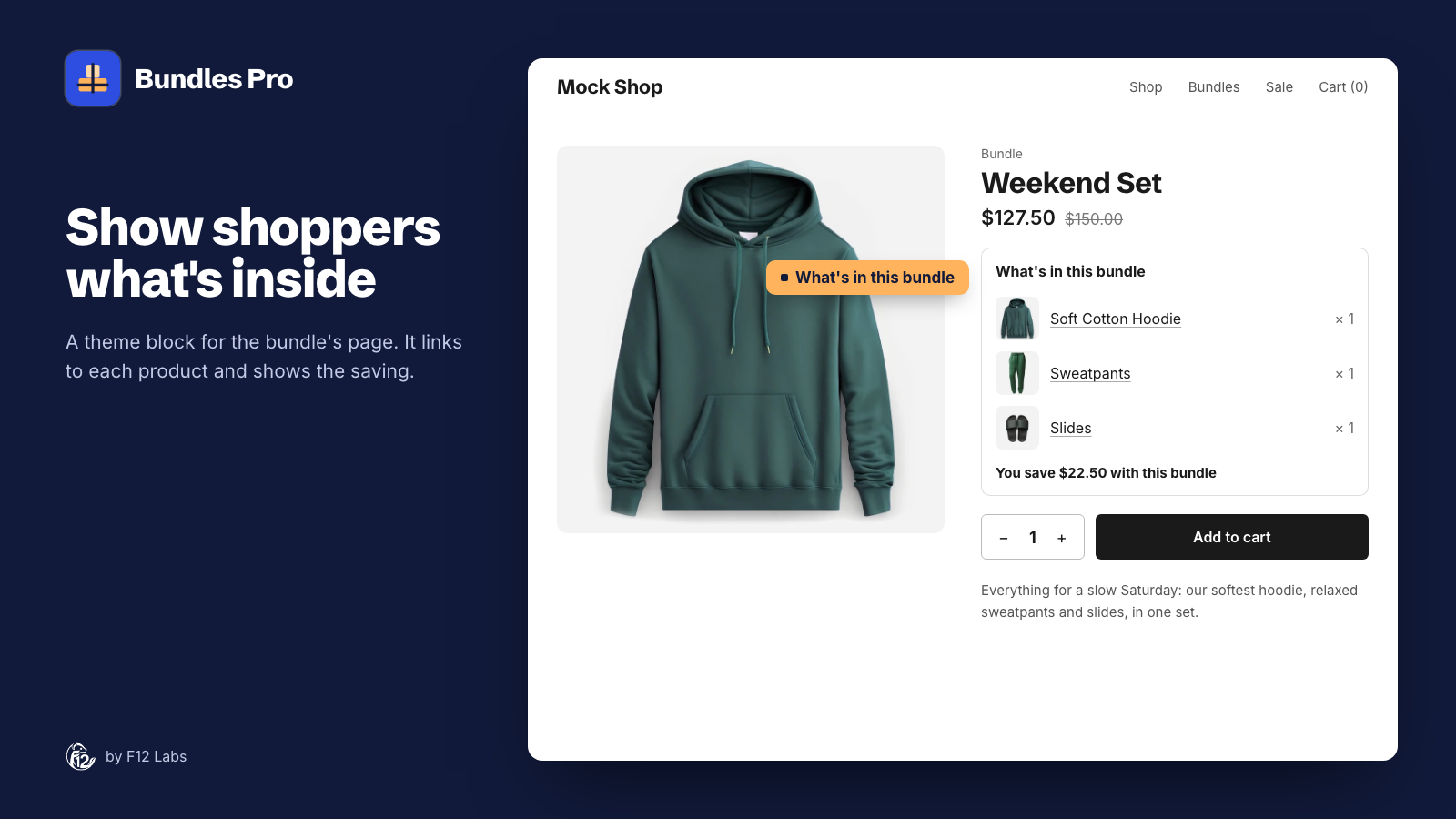
You set up a Weekend Set: a hoodie, sweatpants and slides. You have 40 hoodies, 60 pairs of sweatpants and 25 pairs of slides. On Friday the bundle shows Sold out on the large size, while the hoodie's product page happily sells larges. On another bundle, a gift box, Shopify keeps taking orders even though the candle inside ran out on Tuesday.
Neither is a bug. A bundle has no stock of its own: Shopify works it out from the products inside, and a few settings change the answer.
A bundle's stock comes from its products
Shopify's rule: "Bundle inventory is determined by the inventory levels of each product included within a bundle. The product with the lowest inventory level determines how many bundles can be sold." (Eligibility and considerations for product bundles)
The calculation, from the same page:
- "For each product in the bundle, divide the product's total available inventory by the quantity required for the bundle."
- "The lowest resulting number (rounded down to the nearest whole number) determines how many complete bundles can be sold."
Shopify's own example is a home office bundle of 2 chairs and 1 desk. With 15 chairs and 8 desks, that's 7 bundles: 15 ÷ 2 = 7.5, rounded down to 7, which is lower than the desks' 8.
For the Weekend Set, one of each, that's 25 bundles: the slides run out first. And "Product inventory levels are updated in real-time", so a pair of slides sold on its own is one fewer Weekend Set too.
In your Products list, a bundle's Inventory column says "Bundle with XX variants" rather than a number, because there's nothing to count on the bundle itself.
Why one size sells out before the others
A bundle with sizes is really several bundles, one per variant. Shopify's developer docs put it this way: "the inventory of each component's variants determines the bundle inventory" (Shopify: Add a product fixed bundle).
So the large Weekend Set is limited by large hoodies and large sweatpants, not by hoodies in general. If you have 40 hoodies but only 2 in large, there are at most 2 large Weekend Sets. And if you run out of large sweatpants, the large Weekend Set sells out even though large hoodies are still on sale on their own page.
Why a bundle keeps selling when a product is out
Two settings take a product out of the count completely: "A product's inventory isn't included in the bundle quantity calculation if the product's inventory isn't tracked, or if the product is set to Continue selling when out of stock." Shopify adds: "In these cases, the product's inventory is ignored when determining the available quantity of the bundle." (same page)
That's the gift box. If the candle is set to keep selling when out of stock (common for made-to-order items and pre-orders), the bundle ignores it and sells for as long as the other products last. And if no product in a bundle is tracked, nothing limits it.
Shopify warns that changing either setting on a product "might affect the calculated availability of the bundle." It's easy to change a product for its own sake and forget the bundles it's in.
Locations
Shopify's own Shopify Bundles app lists this limitation: "Bundles don't track inventory by location, but by overall stock." (Shopify Bundles) If you stock the same products in two warehouses, a bundle counts the total, not what one location can ship complete. Shopify doesn't say whether this applies to bundles made by other apps as well.
When a bundle sells
On orders, "Bundles in orders display as a nested group of line items", and the bundle's products show as separate lines wherever they're handled separately, "such as orders with split fulfillments and returns and exchanges" (Eligibility and considerations). Order lines "return bundle components, with a reference to the bundle parent" (Shopify: Bundles), so your warehouse picks the hoodie, the sweatpants and the slides, not a "Weekend Set".
Keeping stock surprises away from customers
- Check the tightest product. Before promoting a bundle, look at the product with the least stock per bundle (stock ÷ quantity in the bundle). That's your real bundle count.
- Check every size. For a bundle with sizes, the smallest count per size is what matters, not the product total.
- Don't mix tracked and "continue selling" products without meaning to. If a bundle must stop when every product runs out, every product in it needs inventory tracked and Continue selling when out of stock off.
- Know which bundles a product is in before you change its tracking, stop restocking it or run it down. Which bundles is this product in? covers finding them.
- Leave out sizes you can't stock. A bundle doesn't have to include every variant of every product. Building a bundle with specific variants covers that.
What Bundles Pro does
Bundles Pro creates native Shopify bundles, so the stock rules above are Shopify's, and they apply the same way. Bundles Pro doesn't keep a separate stock count. What it adds:
- Quantities per product. Each product in a bundle has a quantity (1 to 2,000), which is the number Shopify divides by: a six-pack of one candle is a bundle with that candle × 6.
- Specific variants. Choose variants limits a product to the sizes or colors you pick, so a size you rarely stock doesn't become a bundle variant that's always sold out.
- "What's in this bundle" on the bundle's product page lists each product and its quantity, linked to the product, so customers can see what's inside and check a size on its own page.
- "Buy the bundle instead" on a product's page lists the bundles it's in. A sold-out bundle shows a disabled Sold out button, or you can turn on Hide sold-out bundles so it isn't listed at all. See Storefront blocks.
- "Included in bundles" on the product's page in your Shopify admin shows which bundles it's part of, so you know what a stock change will affect. See Bundles on the Shopify product page.
Getting started with Bundles Pro walks through creating a bundle.
Before you rely on it
- Bundles Pro doesn't warn about stock. It doesn't alert you when a product runs low or when a bundle sells out; stock is Shopify's, and Shopify's admin and reports are where to watch it.
- Bundles Pro can't change Shopify's calculation. Untracked and "continue selling" products are left out of the count, whichever app built the bundle.
- Store eligibility. Bundles need Shopify's bundles feature on your store, and don't work with purchase options such as subscriptions and pre-orders. See Eligibility and considerations.
Shopify behavior checked on 26 November 2026 against the help center's Eligibility and considerations for product bundles and Shopify Bundles, and shopify.dev's Bundles and Add a product fixed bundle. Shopify updates bundles often; we'll update this post when the rules change.